Now let’s set up our notebook system. You will need several things to get started.
- First, you will need a two inch, 3-ring binder.
- Second, you will need 2 or 3 packages of colored index tabs that have eight per package.
- Third, you will need 4 to 8 packages of clear index tabs, again that have eight per package.
|
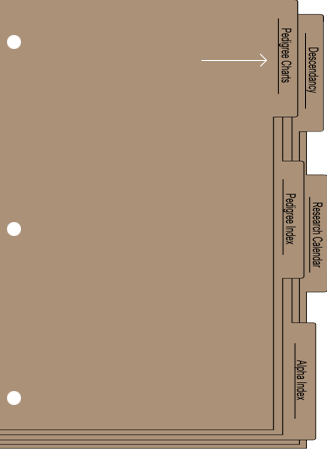
At the beginning of your notebooks, you will use the colored tabs. The first three tabs I mention will be mandatory. For the first tab, label it pedigree charts. This is where you will keep your printed pedigree charts. When you’re printing them, make sure that you start with you, and select to include all generations. This is called a cascading pedigree chart. |
The next tab will be labeled pedigree index. Make sure that when you print your pedigree charts, that the Index Options box has a check mark in it. This will be a quick reference to those individuals on your direct line
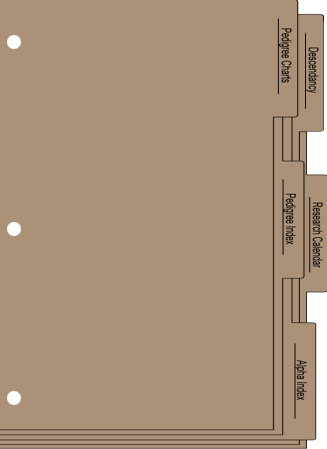
Other colored tabs could include descendancy charts, research planners and to do lists, calendars, and other useful reports. So the colored tabs comprise the first section.
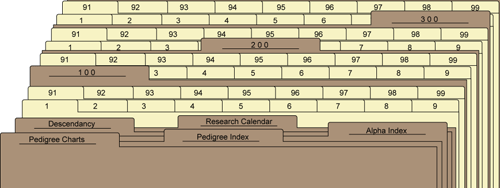
The next section of tabs will be the largest. This is where the numerical tabs which represent the MRINs belong. Using your word processor, you will manually type the numbers, and print them on the inserts that come with the packages of tabs you buy. Or you can purchase tabs that are already pre-numbered.
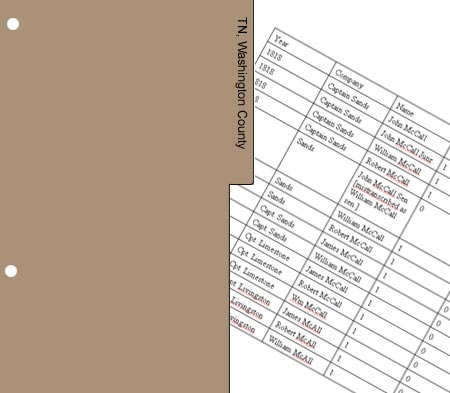
In your research, you will undoubtedly come across records that don’t really pertain to any one individual or family. For instance, a transcribed listing of taxpayers in Washington County, Tennessee. Because these records possibly give information about numerous families in your database, they will need to be filed behind a locality tab. In this case, the copies of these tax records would be filed behind a tab labeled Tennessee, Washington County.
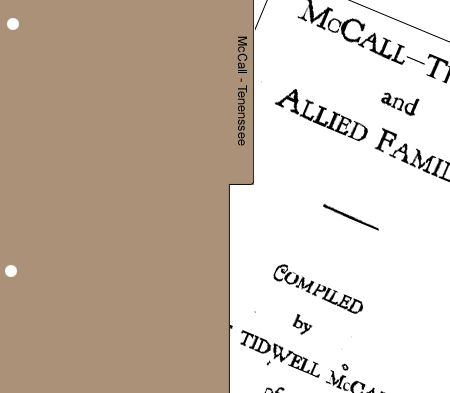
Another set of tabs would need to be surname tabs. If you have copies from a book entitled "McCall and Allied Families," these would be filed behind a tab labeled McCall. Now if you come across other books or articles published on your McCall families, and the documents behind your McCall tab become too voluminous, it would then be time to divide this tab into subsections. For example - McCall-Tennessee; and McCall-Illinois, etc.